
Introduction and Purpose
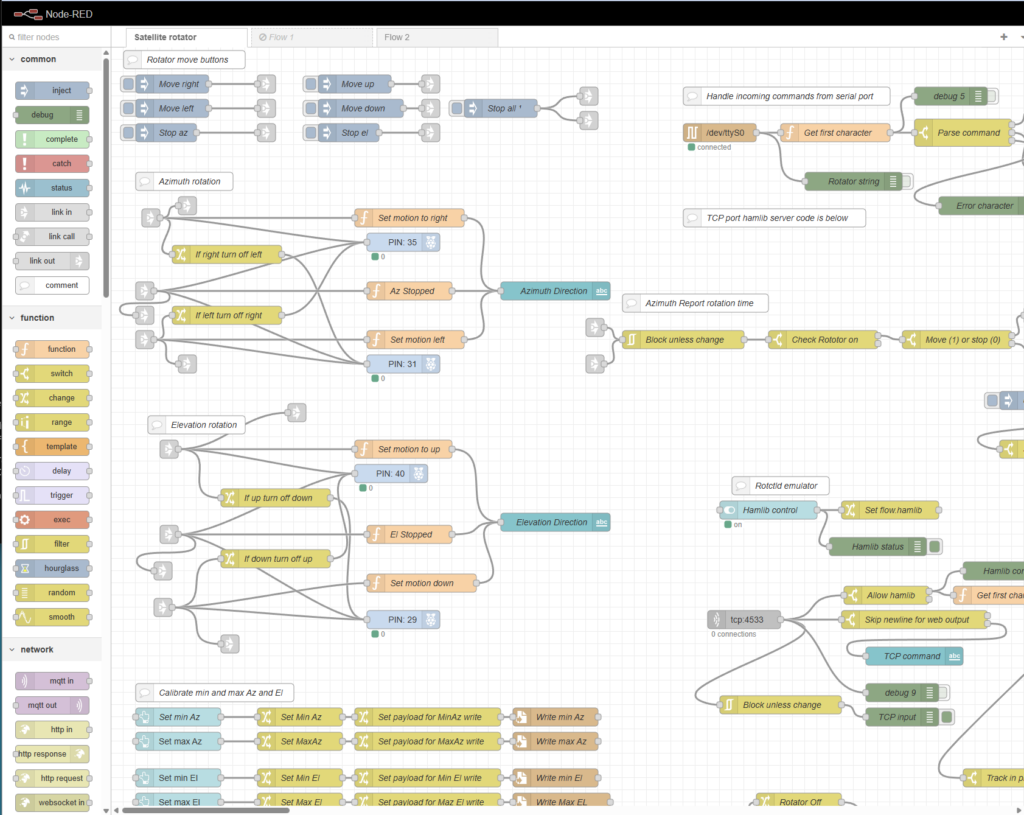
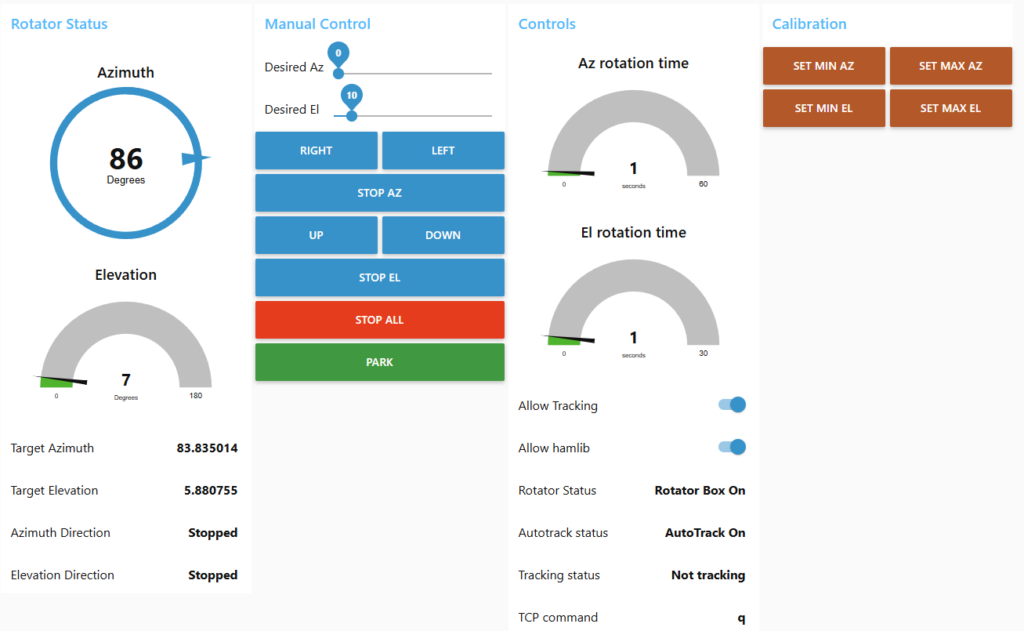
This Node-RED-based satellite antenna rotator controller was developed to replace expensive commercial controllers while allowing multiple independent programs—such as SkyRoof and SatNOGS—to control the rotator simultaneously via a standard hamlib rotctld interface. Unlike most homegrown ham radio rotator controllers that rely on microcontrollers like Arduino with traditional inline code, this project leverages Node-RED’s visual, GUI-style programming, which makes the logic far easier to develop, understand, and maintain. Additionally, Node-RED automatically generates a customizable web-based dashboard whenever dashboard nodes (such as buttons, gauges, or text displays) are added to the flow, providing a responsive interface accessible from any web browser—including phones—for remote monitoring and maintenance. This enables operators to view real-time status and manually adjust the antenna from outside the clubhouse while visually confirming its movement.
Overview
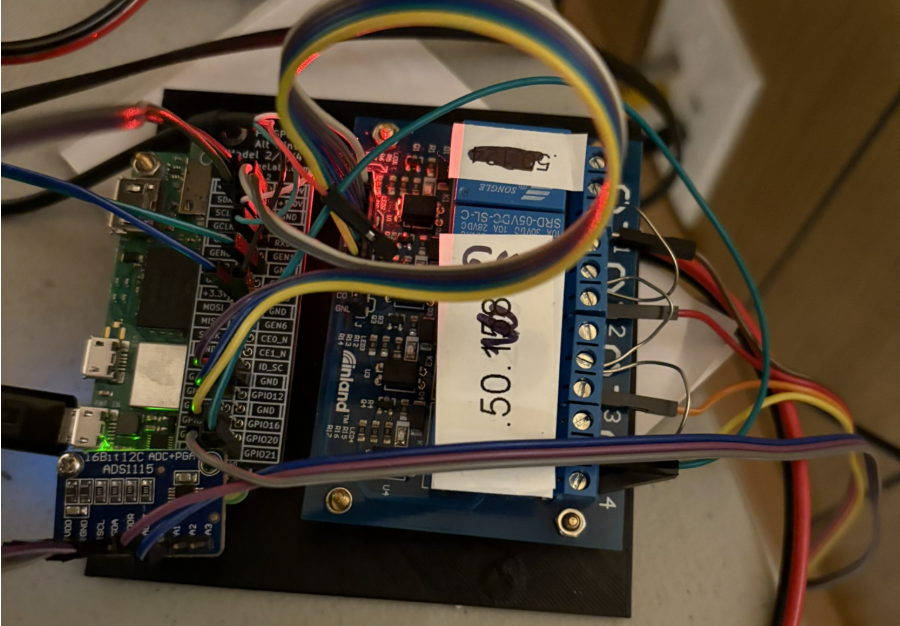
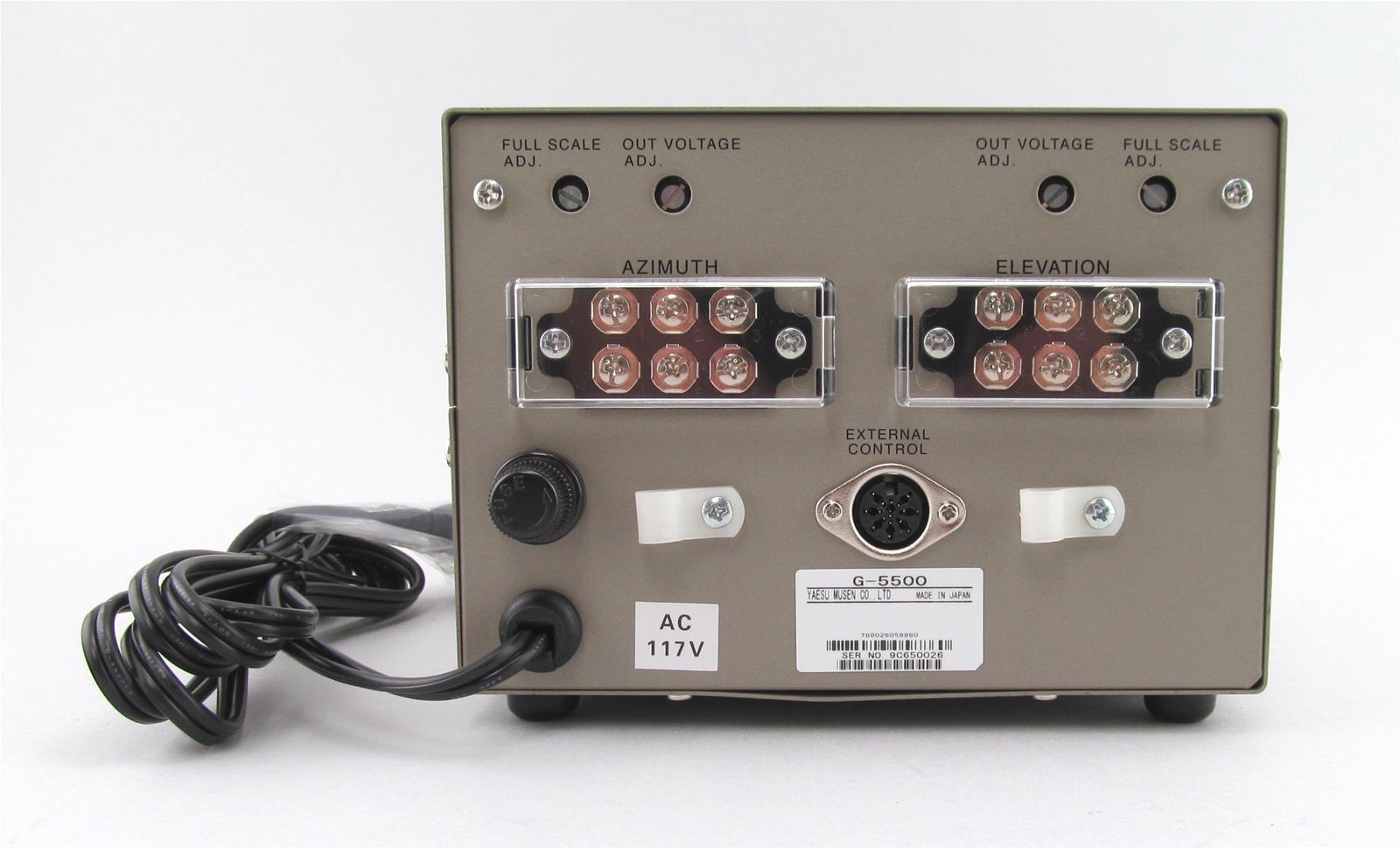
This system manages both azimuth and elevation movements of a satellite dish using a Yaesu G-5500 rotator, provides accurate position feedback, supports manual and automated operation, and includes safety features for reliable long-term use on a Raspberry Pi.
Core Operation
The controller decodes desired azimuth and elevation positions in degrees received over the TCP interface from programs like SkyRoof and SatNOGS. It converts these targets into directional commands (up, down, left, right), activating or deactivating the corresponding Raspberry Pi GPIO pins connected to a relay board. This relay board interfaces with the Yaesu G-5500 control box to drive the motors. Simultaneously, it monitors antenna position by reading voltages from potentiometers inside the rotator, which vary with angular movement. These analog signals are digitized by an ADS1115 ADC board attached to the Pi and then converted to degrees using a calibration-based scaling function.

Manual Control
The controller offers full manual operation, allowing the user to move the antenna left, right, up, or down through dashboard buttons. When a direction is selected, the system activates the corresponding motor via GPIO outputs while ensuring that opposing directions cannot run simultaneously. It continuously displays the current direction of movement for both azimuth and elevation on the dashboard, giving clear real-time status.
Position Sensing
Position sensing is achieved through analog feedback from potentiometers attached to the rotator. The system reads these voltages using an ADS1115 analog-to-digital converter and converts them into meaningful angular positions—azimuth in a full 360-degree range and elevation from 0 to 90 degrees. These current positions are shown prominently on the dashboard.
Calibration System
A calibration system enables the user to define the minimum and maximum positions for both axes by physically moving the antenna to its limits and pressing corresponding buttons. These calibration values are saved to files on the Raspberry Pi and automatically loaded at startup, ensuring consistent and accurate degree readings over time.
Hamlib rotctld Integration
The controller emulates the hamlib rotctld protocol over a TCP port (4533), allowing seamless integration with tracking software such as SkyRoof and SatNOGS. These programs send standard rotator commands to set target azimuth and elevation values. The system receives these commands, parses them, and automatically moves the antenna toward the requested position while respecting elevation limits and providing appropriate responses back to the client software.
Safety Timeout Protection
Safety features protect the motors from damage. A dedicated timer monitors how long the elevation motor has been running continuously. If motion exceeds a safe duration (typically around 40 seconds), the system immediately stops all movement, disables automatic tracking, and sends alert notifications via email and text message to inform the operator of the potential issue.
Serial Interface
An additional serial port interface provides GS-232 protocol compatibility, offering an alternative control method for software that uses traditional serial communication with rotators.
User Interface Dashboard
The dashboard serves as the primary user interface, displaying current azimuth and elevation angles, movement directions, tracking status, and a gauge showing elapsed elevation motor runtime. It also includes controls for manual movement, calibration, and emergency stop functions.
Summary
Overall, the system combines precise motor control, reliable position feedback, compatibility with common satellite tracking software, persistent calibration, and protective timeouts into a robust, remotely monitorable rotator controller suitable for unattended satellite ground station operation.
 Save as PDF