
The Gloucester County Amateur Radio Club operates a KrakenRF Discovery Dish—a lightweight, 70 cm aluminum parabolic antenna optimized for L-band (around 1.69 GHz) reception of geostationary and polar-orbiting weather satellites. We have purchased all three available feedpoints, with the one tuned for GOES-19 frequencies currently installed. This setup uses an Airspy R2 SDR, selected for its excellent wide bandwidth and effective filtering, paired with the dish for superior performance in receiving high-resolution imagery and data from satellites like GOES HRIT, GK-2A, FengYun, NOAA HRPT, Metop, and Meteor M series.
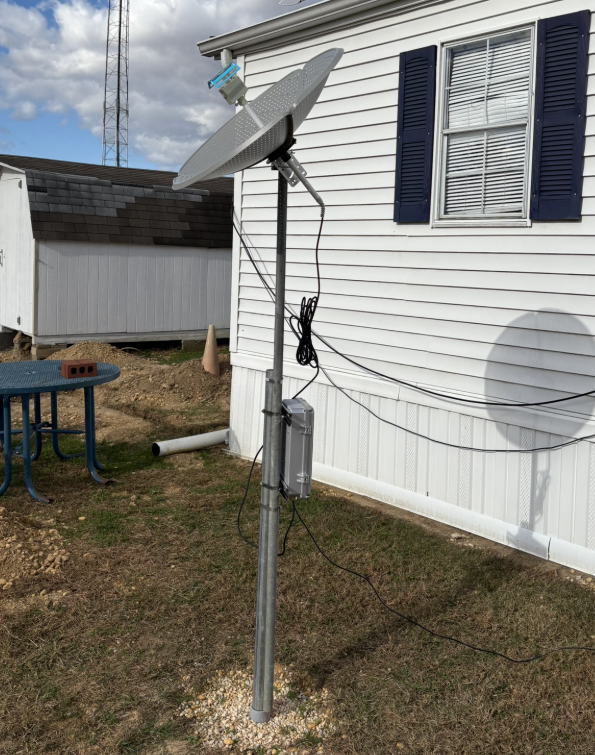
The dish is constructed in three pieces and the feed is mounted through the center and is removable and replaced by the other feeds tuned for different frequencies.

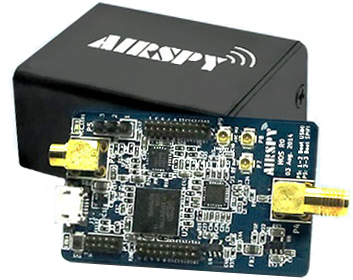
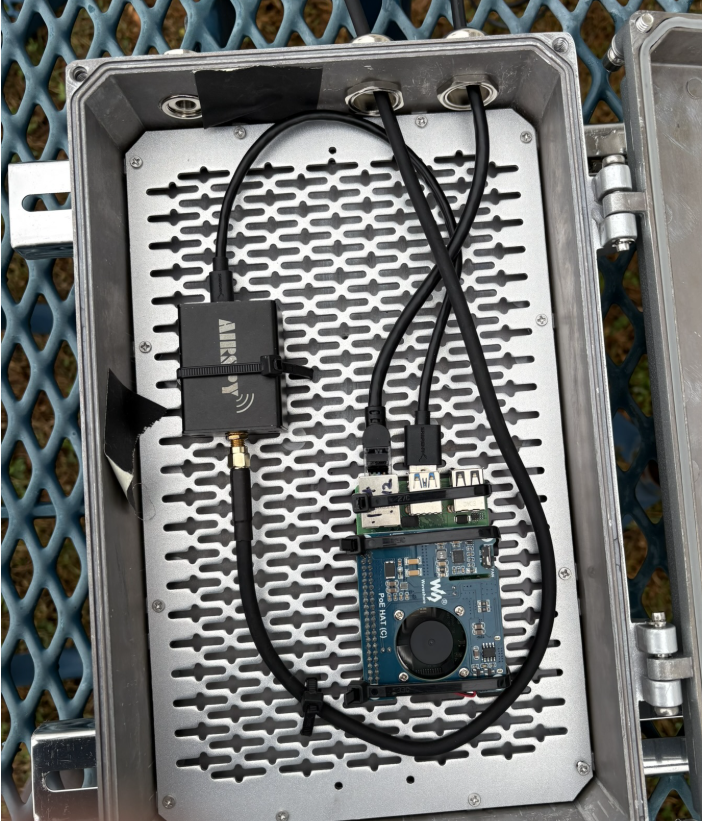
The Airspy R2 is connected to a Raspberry Pi 4 running SpyServer software. Both the Pi and SDR are mounted in a watertight enclosure on the pole, with a Power over Ethernet (PoE) adapter enabling a single Ethernet cable run from inside the clubhouse. This cable provides power to the Pi, SDR, and the preamp on the feed, while also delivering network connectivity.
The dish is currently mounted on the steel post originally designed for our portable EME dish and will be removed when needed for EME operations. As it is designed primarily for geostationary satellites, it has no automatic rotation capability and is fixed-pointed.
SpyServer allows efficient remote streaming of the SDR spectrum over the network. Members can tune in from anywhere on the clubhouse LAN or via VPN to monitor live signals and decode passes.
The primary client software for decoding and processing received data is SatDump (https://www.satdump.org/about/), a powerful open-source tool for satellite signal processing and image compositing.
Remote Access
To connect:
- Use SDR# (or compatible clients like SDR++): Add a SpyServer source and enter 192.168.50.144:5555
- Ensure you’re on the clubhouse network or connected through our VPN.
Note: This is a shared resource—please be considerate of other members who may want to use it. Avoid long unattended sessions during peak times, and log off when finished. Clubhouse network bandwidth is limited so use the smallest bandwidth and highest decimation factor possible for your needs. Use of this radio is still in the experimental stage and we may need to limit its use by remote users if too much bandwidth gets tied up by users of this device.
This robust, weather-protected setup provides reliable weather satellite reception and an excellent platform for learning without needing personal outdoor hardware. Stop by a Tech Saturday to learn more or participate in decoding sessions!